

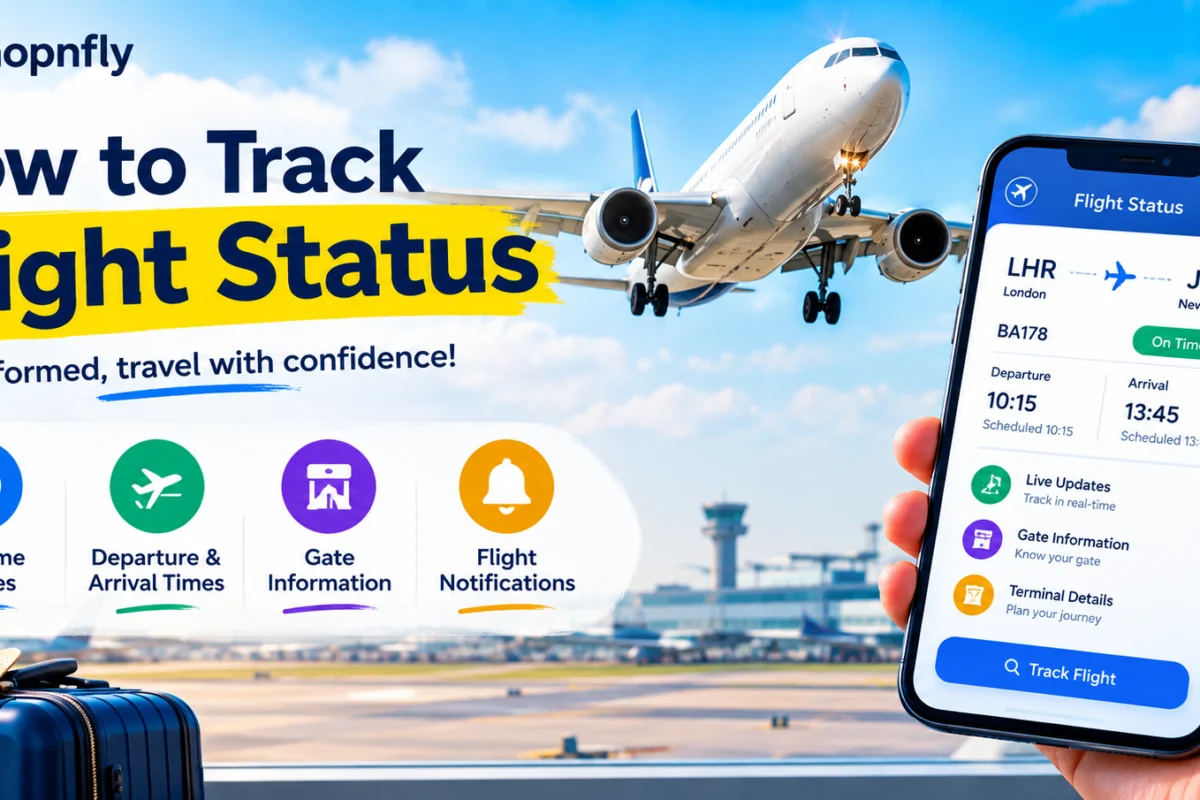
How to Track Flight Status :- Few things create more low-level anxiety than an approaching flight you can’t quite keep tabs on. Is it delayed? Has the gate changed? Is the incoming aircraft even in the air yet? Knowing how to track flight status properly — rather than just refreshing an app and hoping for the best — can genuinely transform the experience of flying, or of picking someone up at arrivals. This guide covers every method available in 2026, from the tools built into your airline’s own app to the specialist trackers used by aviation enthusiasts, so you always know exactly what’s happening with your flight.
Why Tracking Flight Status Properly Actually Matters
Before getting into specific tools, it’s worth understanding why learning how to track flight status well is more useful than it might first seem. Airlines update gate changes and delays in their own internal systems long before the physical departure board in the terminal catches up, which is precisely how experienced travellers often know about a delay before the gate agent even makes an announcement. As flight schedules grow more crowded and weather patterns become increasingly unpredictable, more travellers are turning to dedicated online tools rather than relying purely on what’s posted at the airport itself.
Understanding how to track flight status also matters for anyone picking someone up. Arrivals boards can lag behind reality, and knowing the actual live position of an inbound aircraft rather than just the scheduled time gives you a genuinely more accurate picture of when to actually leave for the airport. It’s also worth knowing how to track flight status for someone else’s journey specifically, since the search process is usually identical whether you’re checking your own flight or a friend or relative’s, provided you have their flight number or route details to hand.
Tracking International Flights
A question that comes up often when people first learn how to track flight status is whether these tools work reliably for international routes, not just domestic ones. The good news is that all of the major flight tracker apps covered in this guide do track international flights. FlightRadar24 in particular has especially strong global coverage, while both Flighty and newer entrants like byAir handle international routes well for both alerts and ongoing status updates, regardless of which country a flight originates from or lands in. This matters considerably for long-haul travellers, since a flight crossing several time zones and multiple air traffic control regions can be harder to track reliably with a tool that’s primarily optimised for domestic routes within a single country.
Starting With the Basics: Airline Websites and Apps
The most direct way to learn how to track flight status is also the simplest: go straight to the airline itself. Airline websites and mobile apps remain the most authoritative way to check a flight’s current status, including departure time, arrival estimates, and gate information, since this is the same data the airline’s own operations team is working from. Most major carriers let you search either by entering your flight number directly, or by providing a combination of departure city, arrival city, and travel date if you don’t have the flight number to hand.
Delta, for instance, offers a flight status tracker on its website that doesn’t require logging in or having an active booking to use — you simply search by flight number, route, or airport pair, and the results display departure and arrival times, gates, terminals, and current status, typically refreshing every few minutes. Most other major airlines, including British Airways, Virgin Atlantic, United, and American, offer broadly similar tools, and it’s genuinely the first place anyone should start when working out how to track flight status for their own upcoming journey. The airline’s own app should also be your primary source for anything requiring action on your part — boarding, gate changes, and rebooking should always defer to the airline directly rather than a third-party tool.
Dedicated Flight Tracker Apps: A Different Level of Detail
Once you move beyond the airline’s own tools, learning how to track flight status opens up a whole category of dedicated tracking apps, each with a slightly different approach and audience in mind. If you only need to know whether your flight is on time, almost any airline app will do, but if you want deeper visibility into delays, aircraft swaps, incoming rotations, gate uncertainty, and airport congestion, a dedicated flight tracker is considerably more useful.
FlightRadar24 is probably the best-known name in this space, and for good reason. It presents a live map of essentially every aircraft in the sky — commercial jets, helicopters, private charters, air ambulances, even police and navy aircraft — moving in real time across a map you can customise with several different viewing modes. Tap any plane icon and you instantly get its flight number, route, altitude, speed, and aircraft type. It offers a genuinely excellent free experience for real-time tracking, making it one of the most accessible ways to understand how to track flight status visually rather than through a simple text-based status line.
Flighty takes a fundamentally different approach. Rather than showing you every plane currently airborne, it tracks only the flights you’re personally booked on and pushes notifications directly to your phone, often flagging a delay before the gate agent announces it. It’s a genuinely polished app, though it’s subscription-based and limited to iOS and macOS, which rules it out immediately for Android users looking into how to track flight status on their own device.
FlightAware positions itself as the more utilitarian option among the major trackers, and it’s particularly strong in the United States, where it also draws on FAA data directly. If you want the status of a specific flight number rather than an interactive map to browse, FlightAware is usually the faster route to a clear answer, and it’s remained one of the more consistently well-reviewed options for anyone specifically researching how to track flight status without unnecessary visual clutter.
FlightStats strips things down even further, deliberately avoiding map animations and radar overlays in favour of exactly what a busy traveller actually needs: is my flight on time, what gate, and how reliable is this specific route historically. Its interface shows a timeline of your flight’s progress, live status, gate information, and weather, with no additional noise. It also offers historical on-time performance data, letting you check a given flight number’s track record before you even book — useful context if you’re trying to work out whether an early-morning connection through a busy hub is likely to hold up in practice. Home-screen widgets let you see your flight status without even opening the app, which is a genuinely convenient shortcut once you’ve settled on this as your preferred method for how to track flight status day to day.
Plane Finder rounds out the major players, offering a clean live map, detailed aircraft information, real-time airport status context, and historical playback in a genuinely well-balanced package. It’s a strong choice for anyone who wants more depth than a basic status line but finds FlightRadar24’s constantly moving map slightly overwhelming.
Choosing the Right Tool for How You Actually Travel
Not every traveller needs the same level of detail, and part of understanding how to track flight status well is picking the tool that actually matches your own habits rather than downloading everything available. In practice, flight trackers serve at least four genuinely different audiences: passengers who simply want reliable status updates, people meeting arriving travellers at the airport, aviation enthusiasts who want rich aircraft detail and historical playback, and pilots or serious observers who care about broader route patterns and operational context.
If you fall into the first category and just want to know whether your flight is running on time, a combination of the airline’s own app and a lightweight tracker like FlightStats is usually more than sufficient. If you’re regularly picking people up from arrivals, a live-map tool like FlightRadar24 or Plane Finder gives you a genuinely accurate picture of exactly where an inbound aircraft actually is, rather than relying on a static scheduled time that may no longer reflect reality. For frequent flyers who want proactive alerts rather than having to check manually, Flighty’s automatic notifications are hard to beat, provided you’re on an Apple device.
How the Technology Actually Works
Understanding a little about how to track flight status at a technical level helps explain why some tools feel more reliable than others. Most modern flight tracker apps rely on a system called ADS-B, short for Automatic Dependent Surveillance-Broadcast, in which aircraft continuously broadcast their position, altitude, speed, and flight number to ground receivers positioned around the world. This is fundamentally different from older radar-based tracking, and it’s the reason apps like FlightRadar24 can show such granular detail about individual aircraft rather than just a generic dot on a map.
It’s worth noting that flight tracker apps are only as useful as your own connection allows. Before travelling, particularly internationally, it’s worth making sure you have a data plan or eSIM that keeps you online throughout your journey, since a flight tracking app showing yesterday’s status because your phone lost signal is arguably worse than having no tracker at all.
Comparing Sources for a More Reliable Picture
One of the smartest approaches to how to track flight status is cross-referencing more than one source rather than relying on a single app. A traveller might reasonably start with the airline’s own app, then verify the same flight on an independent flight-tracking site that shows the aircraft’s actual live position. If both sources show a departure delay, and the aircraft assigned to that flight hasn’t yet left its previous airport, the likelihood of a genuinely late departure is considerably higher. Conversely, if the aircraft is already visibly en route and both sources display an on-time arrival estimate, the schedule is far less likely to change drastically before you land.
This cross-referencing habit is genuinely one of the more valuable things to learn about how to track flight status, because it turns a single, potentially stale data point into something closer to real confirmation. Airport delay data available in several tracker apps adds a further layer of context here too, often showing delay percentages across specific airports along with the underlying cause — weather, volume, or something more localised — which helps you understand whether a disruption is specific to your own flight or part of a wider, system-level slowdown affecting many flights simultaneously.
Practical Habits Worth Building In
Beyond simply choosing an app, there are a handful of practical habits worth adopting once you’ve settled on your preferred method for how to track flight status. Keeping your device charged is an obvious but genuinely important one, since real-time status information is useless the moment your phone dies at the airport. Ensuring reliable access to mobile data or airport Wi-Fi matters just as much, since these tools depend entirely on connectivity to pull live updates.
It’s also worth taking a screenshot of your boarding pass and key flight status details as a backup, in case an app fails to refresh at a critical moment or you find yourself somewhere with unreliable signal. Experts in travel planning consistently recommend this kind of simple redundancy, since combining an airline’s own tools, an independent tracker, and basic airport information generally builds the most complete and reliable picture available to any individual traveller.
Choosing a Primary Tool and a Backup
The best approach to how to track flight status isn’t a one-time decision you make and then forget about. It’s worth revisiting your choice whenever your own travel pattern changes, your current app starts feeling less reliable, or a competitor genuinely improves a feature you use every week. A sensible starting checklist looks something like this: choose your primary need — passenger status, pickup timing, aircraft detail, or airport monitoring — and pick one tool built specifically for that use case. Keep a second tracker installed, or at least a second website bookmarked, in case your first choice lags or changes its pricing model unexpectedly. Use the airline’s own app as your definitive operational source for anything requiring action, like boarding or rebooking. And it’s worth reviewing your setup periodically, spending just a few minutes checking whether your main app still does what you need at a fair price, rather than continuing to use it out of pure habit.
Testing your chosen approach before an important trip is genuinely worth doing too. Don’t wait until a storm day or a tight connection to learn how to track flight status effectively — get familiar with your preferred tools during a routine, low-stakes journey so you’re not troubleshooting an unfamiliar app interface while genuinely stressed about missing a connection.
A Word on App Quality and Recent Changes
It’s worth being aware that not every flight tracker has maintained the same quality over time. Recent industry reviews have noted a proliferation of pop-up ads and reduced functionality across several once-reliable apps, a trend that’s affected user ratings broadly across the sector. Among the more established names, a smaller handful have managed to hold or even improve their ratings in the past year, generally reflecting apps that have prioritised core functionality over aggressive monetisation. It’s worth checking recent reviews before committing to a paid subscription for any tool claiming to help with how to track flight status, since an app’s reputation can shift meaningfully within a single year, and yesterday’s top recommendation isn’t always today’s best answer to how to track flight status reliably.
The Bottom Line
Learning how to track flight status properly is less about finding one perfect app and more about building a small, reliable toolkit suited to how you actually travel. Start with your airline’s own website or app as your baseline, since it draws directly from the airline’s own operational systems. Layer in a dedicated tracker like FlightRadar24, FlightAware, FlightStats, Plane Finder, or Flighty depending on whether you want a rich visual map, a minimal status line, proactive alerts, or historical performance data. Cross-reference more than one source when a delay seems uncertain, keep your device charged and connected, and take a screenshot of key details as a simple backup.
Do those few things consistently, and how to track flight status stops being a source of low-grade travel anxiety and becomes just another routine part of getting from A to B with genuine confidence in what’s actually happening above your head.
Once you’ve settled on a reliable way to check things yourself, how to track flight status becomes second nature rather than something you have to relearn every time you fly — and that quiet confidence is worth far more than any single feature comparison between apps.



Join the conversation